Activates on EA app. Region: Global. Downloadable content.

Activates on EA app. Region: Global. Downloadable content.
The Sims Studio · Electronic Arts
Activates on EA app. Region: Global. Downloadable content.
In stock at its regular priceIn stock
Delivered to your account, usually within minutes after payment is confirmed.
Card payment on a hosted page with 3-D Secure.


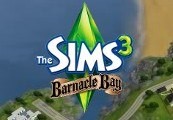
The Sims 3 Barnacle Bay Bundle Origin CD Key Platform: Origin Release Date: 23 Sep, 2010 Product Description An island nestled in the Simuyan Sea, Barnacle Bay is a vibrant vacation getaway with stunning beaches, campgrounds, parks, and a curiously modern downtown. First settled by pirates, fisherman, and artists - the world's inhabitants now enjoy relaxing at Smuggler's Beach and letting loose at The Wanderer's Watering Hole. Will Your trip be a vacation or a staycation? Features All-new Barnacle Bay bundle includes additional items! Buccaneer's Bounty Set Two All-New Exclusive Staircases! Meet new Sims, discover the world's secrets, and unwind at Barnacle Beach Enjoy 20 all-new exclusive objects and clothing only available in Barnacle Bay In Barnacle Bay - Having lunch on a Pirate Ship is only part of the to-do list: Grab a bite to eat at Hogan's Deep Sea Diner before fishing at Ophelia's Fishing Hole Explore the mystery hidden in Pirate's Hideaway or meet new Sims at The Wanderer's Watering Hole Discover the mysterious Barnacle Bay lore by exploring the abandoned piers of Founder's Beach and the relics found within the Goldbeard Galleon Gallery 100 Simpoints System Requirements OS: Windows XP SP2, Windows Vista SP1 or Windows 7 Processor: : (XP) 2.0 GHz P4 processor or equivalent; (Vista and Windows 7) 2.4 GHz P4 processor or equivalent Memory: (XP) 1 GB RAM; (Vista and Windows 7) 1.5 GB RAM Graphics: A 128 MB Video Card with support for Pixel Shader 2.0 DirectX®: 9.0c Hard Drive: At least 300 MB of free space (6.4 GB if installing with The Sims 3)with at least 1 GB additional space for custom content and saved games.
You need an EA account and the EA app.
FOR 20 DIGIT CONTENT KEYS: If you have not done so already, create your free Origin/EA account on www.origin.com. Log in to the Sims 3 community website using your Origin email and password. If you are logging in for the first time, use your provided key for the Sims 3 base game during the registration process. To redeem the games on your Sims 3 account select "My Page" -> "My Account" -> "Register a Game" Enter your 20-character key for The Sims 3, Late Night Expansion, or High End Loft Stuff. (note, if you entered the The Sims 3 base game code in step 2, you don’t need to re-enter it here) That's it! The Games will automatically be added to your Origin account, and can be accessed and downloaded through the Origin client. The Sims 3 and all of the DLC will be available for both Windows and Mac. Every The Sims 3 add-on pack can be redeemed through the Sims 3 community site. To redeem follow these steps: Log in to the Sims 3 community website using your Origin email and password: http://www.thesims3.com/ Under the "My Page" menu section at the top of the page, scroll down to "My Account" and select the "Redeem A Code" option under the sub-menu. Click on "Redeem a Code" Type in your provided "Sims 3 Date Night DLC Community Key" from your unique download page and click "Redeem". Click on the link for your "Purchase History" which should be visible after typing in your code. You can also access it under "Store" > "My Store Account" > "Purchase History" from the top of the page. Click on the "Download" link under the icon. This will open your Sims 3 launcher and begin downloading the content through the launcher. Once finished downloading, click on the "Install" button below. That's it! You will now have additional clothing and content added in to your Sims 3 game! FOR 16 DIGIT KEYS: Please login to your Origin Account and redeem your keys under this link
More simulation on EA app, in board order.
Activates on EA app. Region: Global. Downloadable content.
Activates on EA app. Region: Global. Downloadable content.

Activates on EA app. Region: Global. Downloadable content.

Activates on EA app. Region: Global. Downloadable content.
Activates on EA app. Region: Europe. Downloadable content.