Activates on EA app. Region: Global. Downloadable content.

Activates on EA app. Region: Global. Downloadable content.
Maxis · Electronic Arts · 2016
Activates on EA app. Region: Global. Downloadable content.
In stock at its regular priceIn stock
Delivered to your account, usually within minutes after payment is confirmed.
Card payment on a hosted page with 3-D Secure.


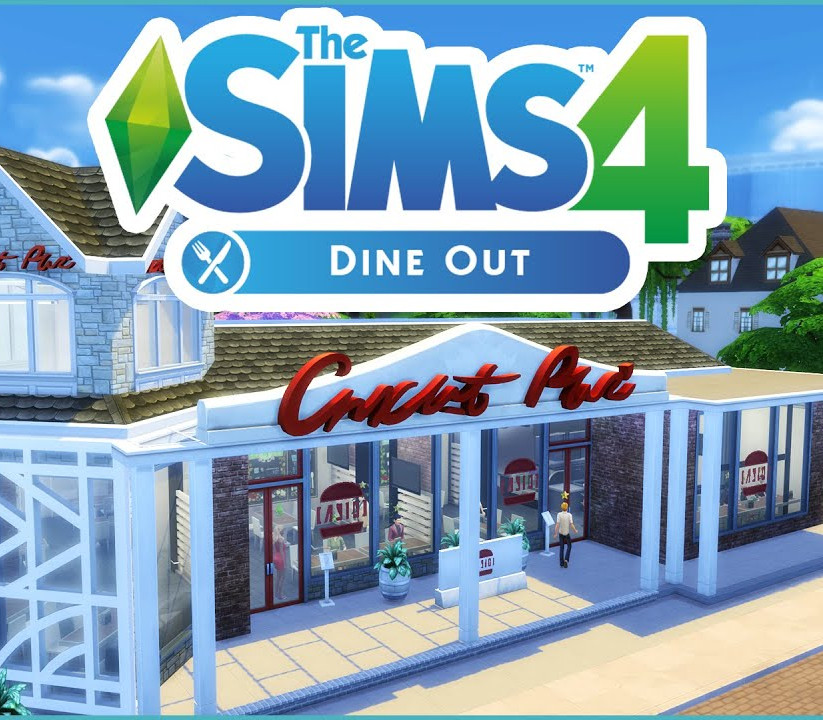
Own a restaurant and take your Sims out to eat with The Sims™ 4 Dine Out. Create and manage a variety of restaurants, hire staff, and set the perfect menu to earn a profit and expand your business. Dine out with Sims to enjoy all-new experimental cuisine and spend quality time with friends and family. Features Create unique restaurants. Classic diner or upscale Italian bistro? Build your dream restaurant from the ground up or customise pre-made restaurants using new objects and décor. Personalise your space with comfy booth seating, unique signage, or outdoor seating for al fresco fun. Own and manage restaurants. Hire the best and fire the rest! Choose uniforms, set the menu and prices, and chat up diners to boost customer satisfaction. Aim for a five-star rating or build a multi-restaurant empire to really rake in the Simoleons. Dine out with your Sims. Take your Sims out to enjoy a delicious meal. Catch up with friends over brunch, spend time with family, or treat your Sims to a romantic date, without having to do the dishes. Experiment with new food. Adventurous Sims can dig into new experimental cuisine that looks as good as it (hopefully) tastes! Serious foodies can snap food selfies to memorialise these edible masterpieces. Plus, dine out enough and your Sims will learn to cook these dishes at home.
You need an EA account and the EA app.
Go to: http://www.origin.com/us/about Click "Download Origin" (from the upper left corner) Login into downloaded application Install and start application, login with your Account name and Password (create one here: http://store.origin.com/ if you don't have). Redeem Product Code From the "Origin" drop-down menu (upper right corner) choose "Redeem Product Code...", enter your code and click "Next". Download your Game After successful code verification go to the "MY GAMES" tab and start downloading.
Activates on Xbox. Region: Global. Downloadable content.
More rpg on EA app, in board order.
Activates on EA app. Region: Global. Downloadable content.
Activates on EA app. Region: Global. Downloadable content.
Activates on EA app. Region: Global. Downloadable content.

Activates on EA app. Region: Global. Downloadable content.

Activates on EA app. Region: Global. Downloadable content.